
Lightbox Free Image Editor
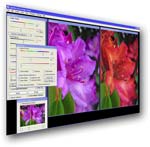 LightBox is a completely free image editing program for Windows. With an emphasis on image quality and ease-of-use, LightBox is great for beginners and experienced users alike. Lightbox performs all actions in 16-bits-per-channel to achieve high-end quality, supporting 48-bit tiff and 48-bit RAW files, in addition to standard jpeg images. LightBox Free Image Editor never expires, has no adware or spyware, and is not crippled in any manner.
19th Parallel Press Release
LightBox Free Image Editor for Windows Delivers an Easy, Fast and Powerful Alternative to Standard Image Editors.
Lightbox was designed from scratch to answer the difficulties associated with typical image editors. With real-time, fluid controls and powerful results, Lightbox is also easy and intuitive, performing all actions in 16-bits-per-channel to achieve high-end quality.
With an emphasis on image quality and ease-of-use, LightBox is great for beginners and experienced users alike. Interactive help is available that leads the user through the process of learning how to make their photographs look great.
LightBox Free Image Editor’s simple user-interface allows most actions to take place in a single “Quick Edit” control box that gives instant, real-time feedback, allowing the user to experiment without having to wait or get lost. Our new “Color Toner” technology replaces and advances the traditional “Tint and Temperature” approach, making toning an image much easier and more intuitive.
Using a 48-bit engine written mostly in machine-level code, Lightbox supports 48-bit tiff and 48-bit RAW files, in addition to standard jpeg images. Our “Smart FIll Light” technology analyzes your picture and adds light just where your picture needs it. Advanced red-eye algorithms remove red eye easily,
as well as a “Guaranteed Red-Eye Removal” system. All other basic functions are supported as well, such as print, crop, rotate, resize, sharpen, before/after views, etc.
LightBox Free Image Editor never expires, has no adware or spyware, and is not crippled in any manner. It comes with a 30-day trial of the more powerful LightBox Plus retail version for $19.95, which can be opted out of. A non-trial version (i.e. free version only) can also be downloaded.
19th Parallel is releasing LightBox Free Image Editor for free to promote its technology and new state-of-the-art algorithms. Lightbox Free Image Editor and LightBox Plus 30-day free trial may be found at www.lightboxeditor.com
Basic Features of the free version include:
o Fast and Fluid, real-time control (16-bit per-channel)
o New Color Toner technology replaces and advances typical “Tint and Temperature” controls
o State-of-the-Art Color Balancing Technology
o Reads 48-bit tiffs and 48-bit RAW files and operates keeps them in 48-bits
o Easy user interface and Interactive help throughout to help you use the very powerful image processing engine
o New Smart Fill Light technology
o Advanced mode, professional-level controls
o Crop, Print, Rotate, Sharpen, Resize, etc.
o Intelligent Color Cast Remover
o Is not web-based, running on the user’s computer for total speed and control (no waiting)
o The .EXE file can be copied freely distributed for personal use (self-installs)
o Before and After preview modes allow you to work with your image side-by-side or before/after overlays
Lightbox Free Image Editor and LightBox Plus 30-day free trial may be found at www.lightboxeditor.com
Requirements: Windows XP/Windows Vista, 512 Megs Ram. Download Size: 12.5 Megabytes.
Download Link: http://www.lightboxeditor.com/lightboxfreeinst.exe
Loading comments…