
Picasa 3 Beta
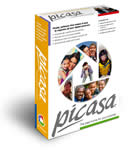 Picasa 3 is free desktop software for Windows that helps you organize, print, and creatively edit your photos. New features in Picasa 3 include a drag-and-drop photo-collage tool, retouching brush, slideshow movie maker, auto red-eye removal, smart auto-cropping, and a photo viewer integrated into Windows. Picasa 3.0 is available for free download at http://picasa.google.com/ . Google have also updated Picasa Web Albums, its free online photo-sharing site.
Google Press Release
New Picasa 3.0 Takes Photo Sharing From “Easy” To “Effortless”; Upgraded Picasa Web Albums Now Focuses on the People In Your Pictures
As people buy more expensive digital cameras in hopes of taking better pictures and sharing more photos with friends and family, many have discovered that a few all-too-familiar problems won’t go away no matter how many megapixels you buy—like clunky PC utilities that seem determined to take the fun out of photography, and labor-intensive photo-sharing sites that feel like a chore unto themselves.
So today, Google is launching a one-two combo of Picasa 3.0 (beta), the next generation of its free photo-editing software, alongside a major technology upgrade to its free online photo-sharing site, Picasa Web Albums.
Picasa Web Albums now helps users automatically sort and share their online photos based on who’s in each picture. Instead of requiring you to painstakingly label your photos one-by-one, the ‘name tags’ feature in Picasa Web Albums uses advanced clustering technology to quickly group together pictures of the same person. And new features in Picasa 3 make getting your photos online easier than ever, with a one-click ‘web sync’ that uploads an album and keeps it updated on the web when you make changes on your PC. Technophobes and photography buffs alike will find new ways to have fun with their photo collections and unlock the full potential of their digital cameras—producing great-looking photos that can be shared in a snap.
Picasa Web Albums (http://picasaweb.google.com/) is fast and easy photo sharing from Google. Picasa Web Albums now features a remodeled user interface, and uses new technology to help you organize and share photos with the people you care about most:
Advanced ‘name tags’: Since people matter so much in your pictures, Picasa Web Albums has a brand-new feature called ‘name tags’ that helps you quickly and easily identify the people in each of your photos. If you assign name tags to a few faces in your collection, Picasa Web Albums will help you automatically find other photos with the same people so you can quickly tag your whole collection. That way, you can do things like create a special album for your grandmother that includes only photos of the two of you, create a slideshow featuring a select group of friends, or quickly share party photos with all the people who appear in your snapshots.
Share easily, no strings attached: You can share full-resolution albums for free with friends and family. Your uncle won’t need need to sign up for an account to see your photos; the link he receives contains an embedded key so he can view your photos with one click. Web albums are viewable as gorgeous, full-window slideshows—free of ads or distractions—that load in the background so you can flip quickly from one photo to the next. You can allow visitors to download full-resolution albums to Picasa with one click—perfect for family members who would like to print out pictures at home. You and your visitors can also directly order prints and photo gifts from not just one, but multiple retailers, like Walgreens and Snapfish.
Explore the world in pictures: A new ‘Explore’ section gives users a way to enjoy photos published by other Google Photos users around the world, including a ‘Where in the World’ game in which you guess the mystery locales of geo-tagged photos.
Picasa 3.0 beta (http://picasa.google.com/) is free desktop software for Windows that helps you organize, print, and creatively edit your photos. Picasa also integrates seamlessly with Picasa Web Albums for sharing your photos online—with just one click in Picasa 3, you can sync albums from your PC to the web, so that any changes or additions you make on your PC are automatically reflected on your web gallery. New tools in Picasa 3 help you make professional-looking edits without any technical knowledge, including:
* A drag-and-drop photo-collage tool gives you total freedom over layout and content
* A powerful retouching brush to wipe out scratches and blemishes, and repair old photos.
* A slideshow movie maker that uploads to YouTube with a click
* Auto red-eye removal
* Smart auto-cropping that guides you on how to zoom in on your subject
* A fast-launching Photo Viewer to quickly inspect and manipulate images while in the Windows filesystem
As always, Picasa automatically finds and sorts the photos on your hard drive, and lets you drag and drop photos into folders or add custom tags. It leaves your original files undisturbed on your hard drive, so you don’t have to worry about overwriting or altering your originals—you can go back a year later and undo any edits you’ve made. And you can always download all your photos out of Picasa Web Albums.
Picasa 3.0 is available for free download at http://picasa.google.com/, and Picasa Web Albums is available for free sign-up at http://picasaweb.google.com/.
Loading comments…