
Canon iPF6100 Review
Review Date: September 25th 2007
Author: Jon Canfield
Leave a comment about this Review
Introduction
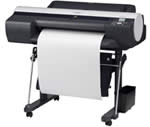
The new Canon iPF6100 is a large format printer that uses a 12-colour pigment ink system and can print up to A1 in size. The introduction about a year ago of 12 color pigment printers by Canon was a major addition to the fine art and photo printing area. No longer did only Epson own this category. For the first round, Canon brought out the 17� iPF5000, 44� iPF8000 and 60� iPF9000 wide format printers. Using a new Lucia pigment ink set, these printers offered long archival life, vivid color, and major speed gains over previous models.
As you can see, a 24� printer was conspicuously missing from the lineup*. While it was widely assumed Canon would fill this gap, they did so with the iPF6100, an updated model boasting several improvements over the first generation of printers, and introduced a revised version of the 17� printer � the iPF5100. This review is based on the 24� iPF6100, but all changes to print quality apply equally to the iPF5100 as well. Additionally, the iPF5100 now includes the roll feed unit, a $250 option on the previous model, as standard, which improves paper handling and puts the feed options on par with the Epson 4800. Can the new Canon iPF6100 compete with the likes of the HP Z3100? Jon Canfield found just enough room in his office to test it out.
* Yes, Canon did have the 24� W6400 and 44� W8400 pigment printers prior to this, but they were not ideal choices for photo printing, especially with black and white.
Setup
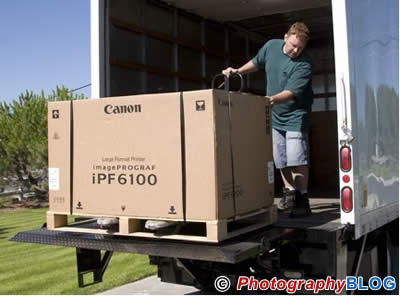
The Canon iPF6100 is a substantial printer, which you'll discover as soon as you see the box and palette, weighing in at about 175 pounds. Setting up the iPF6100 is a two-person job, so plan on having someone around to give you a hand with it. The packaging is well done, with the stand in a separate box, and a large quick start guide to get you up and running. Altogether, it took me about an hour to assemble and setup the printer. Compared to the original iPF5000, assembly is much easier thanks to documentation that is accurate and complete.
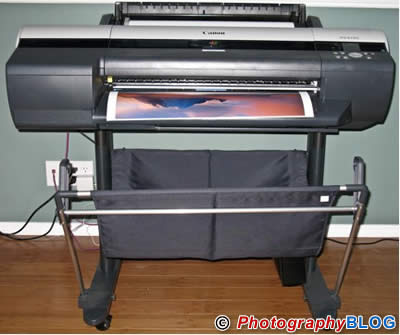
Once everything is assembled and the Canon iPF6100 is on it�s stand, remove all the tape � including the pieces hidden under the paper path and inside the print carriage area. After plugging the printer in and powering up, you'll be prompted to install the two print heads and then the 12 ink cartridges. The print heads used in the iPF6100 are similar to those found in the previous models such as the iPF5000. A total of 30,720 nozzles, with non-firing detection and compensation being done automatically � if you have a clogged or bad nozzle, the printer will automatically map it to a different nozzle to insure print quality remains high. If the need should arise, the print heads are user replaceable. To counter bad comments Canon had from the first printers, the print heads are now warranted for a full year or about 10 trillion ink drops (approximately 1,100 24x36 prints), and have a logging feature built-in to allow Canon to track how much use the print heads have had. Also new to the iPF6100 is Energy Star compliance, a first for large format printers.
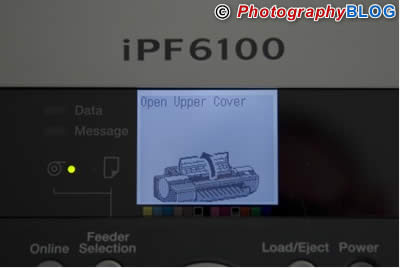
The LCD display on the front of the Canon iPF6100 walks you through each step, making this process essentially foolproof. Charging the ink lines takes about 15 minutes, after which you'll be prompted to load the included sample roll of Premium Matte Paper to perform a print head alignment. The LUCIA inks used in the iPF6100 have been updated from the previous versions with new formulations of the black inks � all other colors remain the same. But, this change to blacks reduces the particle size of the pigments which results in finer grain patterns. Along with this change, Canon has refined the polymer that binds the pigments to help reduce bronzing.
Although it�s not part of the setup routine, the iPF6100 includes a built-in calibration routine that I suggest running at this point. Still using the loaded roll of Matte paper, you can select Calibration from the printer menu � it�s not a calibration in the sense of creating a profile, but it ensures the printer is working at it�s best by examining a test print � similar to what HP does with their closed loop calibration process in the DesignJet 130 and Photosmart B9180 printers.
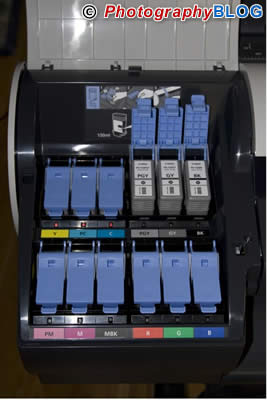
The 12 ink tanks included with the Canon iPF6100 are starter inks containing less than the full 130ml capacity of the normal tanks. While there has been some heated discussion over this decision, in practice I found that the starter tanks were sufficient for charging the ink lines and doing a number of 16x20 and 24x30 prints.
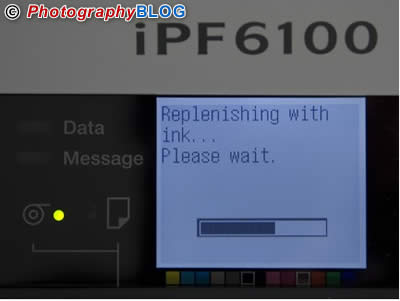
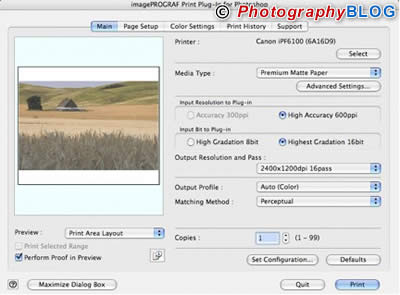
Once you've gone through the printer initialization process, you'll be prompted to install software and select whether to print via USB 2.0 or Ethernet with the included 10/100 port. For my testing, I setup on a network with Ethernet, printing from both Windows and Macintosh systems. Canon includes a couple of utilities along with the printer driver, including a layout tool that, while it won�t be confused with a RIP, is very useful for printing multiple images. Also included is a 16-bit plug-in for Photoshop CS2 (it does not work with CS3) that both simplifies the process of selecting paper and output options and prints in 12-bit color which improves tonal gradations, particularly in areas like sky.
Ease of Use
In use, the Canon iPF6100 is extremely fast and for its size, very quiet. Both roll and cut sheet media are supported, and paper feeding is nearly flawless. I printed on a variety of media types, including the supplied Photo Rag 188 (supplied by Hahnemuhle) and Premium Satin, as well as creating profiles for several Moab and Hahnemuhle papers.
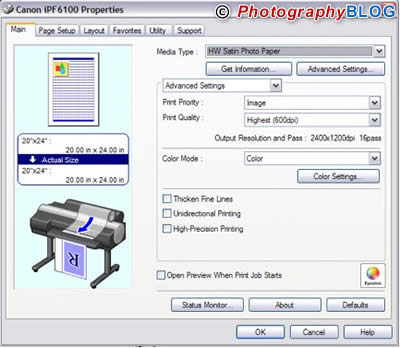
I was very happy with the output from the included profiles with excellent color matching and good neutrality on black and white prints. While I prefer the gloss optimizer that the HP Z3100 uses on gloss and luster papers when printing black and white, the output from the Canon was very impressive and showed excellent detail on all media types.
Adding papers to the printer is easily done and the Canon iPF6100 has 10 custom paper types available for use. The first 5 papers are for photo black papers while the second 5 are for matte black papers. Using these custom papers I was able to load in my addition papers, such as the Moab Colorado Satine.
The roll feed unit is motorized, so the iPF6100 can print indexing information on a roll to keep track of how much media remains and prevent you from starting a print job that will not fit on the loaded roll.
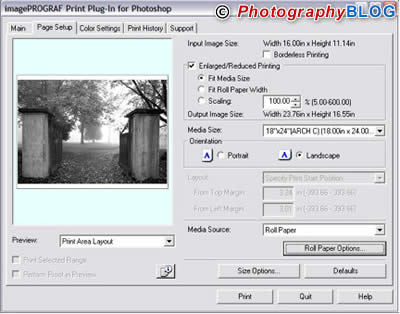
Printing with the plug-in gives you several options that you might find useful, and is the only place you'll be able to select 16-bit output (standard drivers support 8-bit output only). You also have access to a Print History tab where you can select the type of additional information you want to include on your prints, and recall these settings for future use.
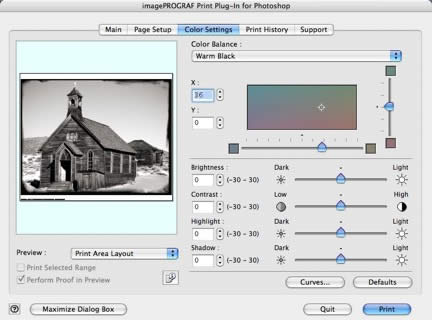
If you're a fan of black and white printing, the plug-in offers very good control over the type of print you'll produce. By selecting Monochrome as the Output Profile, you have full access to color balance for creating tinted or neutral black and white prints. There are presets for warm, neutral, and cool tones, and you can mix or adjust these to come up with your own settings.
On Windows, Canon also support Kyuanos, a color technology that is finding it�s way into Vista. This feature allows you to make ambient light adjustments to tune your prints to the viewing environment. From within the print driver, you can output a test image simulating different lighting sources to determine which is most accurate. This setting is then applied to all images that you want to display in that light. Although I didn't try it, you can also use a hardware device such as a i1 Display 2 or i1 Pro to measure the light and have this information sent to the print driver for automatic adjustment.
Conclusion
 |
|
|
Ratings (out of 5) |
|
| Design | 4 |
| Features | 4.5 |
| Ease-of-Use | 4 |
| Image Quality | 4.5 |
| Value for Money | 4 |
If you're in the market for a 24� printer, the Canon iPF6100 should be high on your list. Print quality is excellent with color images that rival or exceed anything I've done on an inkjet printer. Print speed is amazing � this is the first printer I've used where I always select the highest quality setting available. Paper handling is outstanding, although the addition of a tray like that found on the iPF5100 would be a very nice addition. If your needs are smaller, the 17� iPF5100 has all the advantages of the larger printer in a smaller form factor. While there are some excellent deals available now on the iPF5000, I recommend spending the extra for the new model with improved user functionality, built-in roll feed, and improved black inks.