
ColorPlus
Review Date: July 9th 2004
Introduction
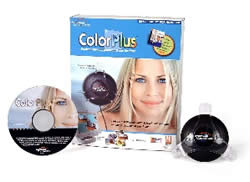 Ever
wondered why the image displayed on your monitor bears little
resemblance to the scene that you photographed? Or why the
colours in the the print that you've just made are not true
to life? The single biggest cause of poorly adjusted photographs,
whether on screen or in print, is an uncalibrated monitor.
Every monitor that comes out of the factory is slightly different
to the next one, and they all change over time as they age.
Regular and accurate calibration of your monitor is the key
to obtaining accurate colours in your photographs. ColorPlus,
a new product from Pantone and ColorVision, is the most affordable
hardware calibration device on the market, retailing for under
$100/£100. It works with CRT, LCD and notebook displays,
although it is currently only compatible with the Windows
platform. Is ColorPlus the answer to your colour nightmares?
Find out in my review.
Ever
wondered why the image displayed on your monitor bears little
resemblance to the scene that you photographed? Or why the
colours in the the print that you've just made are not true
to life? The single biggest cause of poorly adjusted photographs,
whether on screen or in print, is an uncalibrated monitor.
Every monitor that comes out of the factory is slightly different
to the next one, and they all change over time as they age.
Regular and accurate calibration of your monitor is the key
to obtaining accurate colours in your photographs. ColorPlus,
a new product from Pantone and ColorVision, is the most affordable
hardware calibration device on the market, retailing for under
$100/£100. It works with CRT, LCD and notebook displays,
although it is currently only compatible with the Windows
platform. Is ColorPlus the answer to your colour nightmares?
Find out in my review.
Price |
ColorPlus has a recommended retail price of £99.00 / $119.00 / €109,00. You can buy ColorPlus from PhotographyBLOG's recommended retailer, ColorVision Europe, for only 109 Euros. You can buy ColorPlus from PhotographyBLOG's recommended retailer, Amazon.com, for only $104.99. Free shipping in the US! |
Design
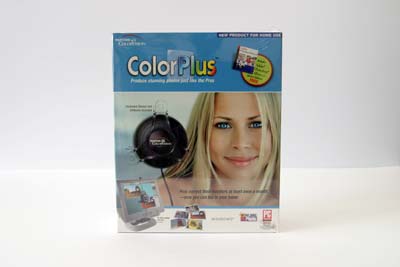 |
| Front of the ColorPlus Box |
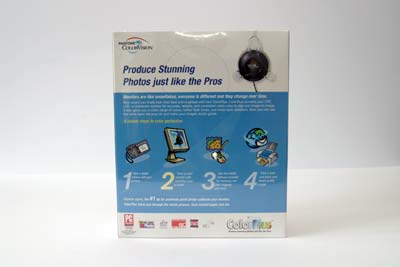 |
| Rear of the ColorPlus Box |
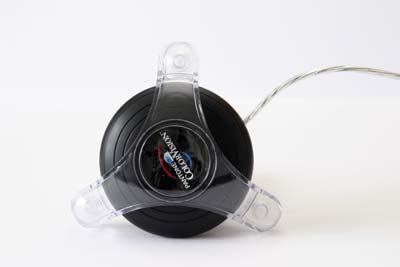 |
| Top of the USB Color Hardware Sensor |
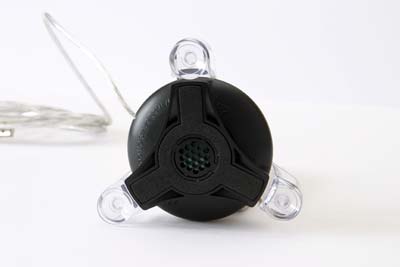 |
| Bottom of the USB Color Hardware Sensor |
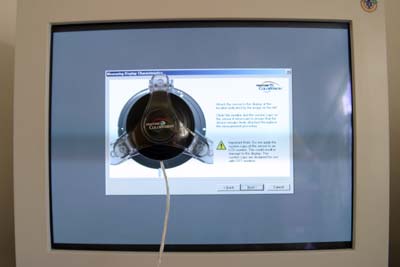 |
| USB Color Hardware Sensor Attached to a CRT Monitor |
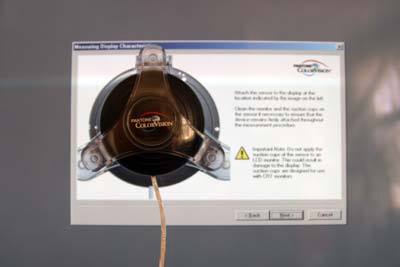 |
| USB Color Hardware Sensor Attached to a CRT Monitor |
Features and Ease-of-Use
The ColorPlus box contains the following items:
- USB Color Hardware Sensor
- ColorPlus Monitor Calibration Software
- Quick Start Installation Guide
- Adobe Album 2.0 Starter Edition
- Free, Unlimited Technical Support
Installation of the ColorPlus Monitor Calibration Software is very straightforward, taking less than 2 minutes to complete - simply insert the CD and follow the onscreen instructions. You will need to enter the code that is printed on the CD sleeve to register the product.
After the software is installed, you must restart your computer and then plugin the Color Hardware Sensor via a USB port. Windows will automatically recognise the new device and build a database for it.
When Windows has finished, double-click the ColorPlus icon on your desktop and follow the onscreen instructions to calibrate your monitor, as shown in the screenshots below (click on the thumbnail to open a larger version in a new browser window):
 |
| Step 1 The Welcome screen, which outlines the calibration process. |
 |
| Step 2 Select which type of monitor you are calibrating. |
 |
| Step 3 Set the contrast of your monitor to it's highest possible setting. |
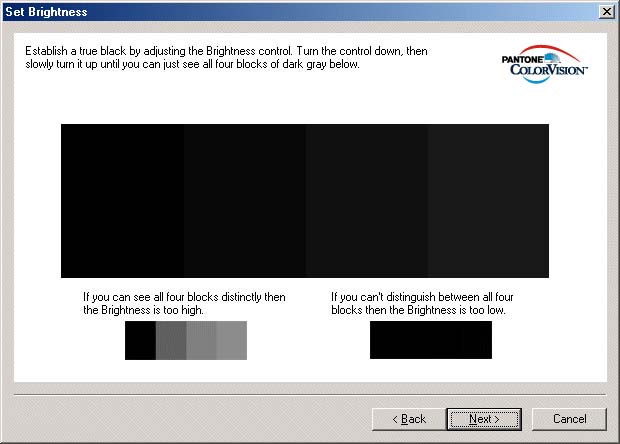 |
| Step 4 Adjust the brightness setting as instructed by the software. |
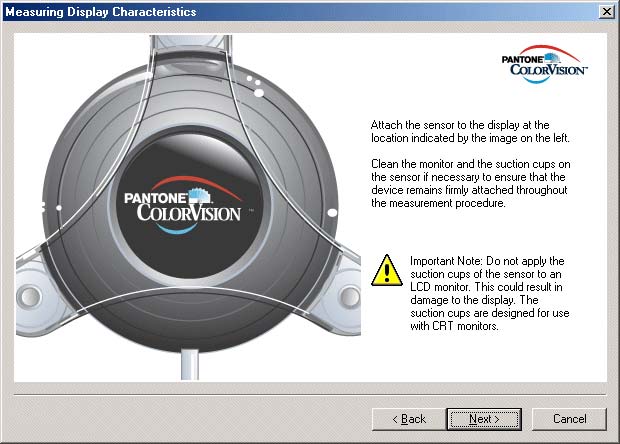 |
| Step 5 When instructed to do so, you must attach the Color Hardware Sensor to your monitor using the correct baffle. Make sure that you position it over the onscreen image of the sensor. |
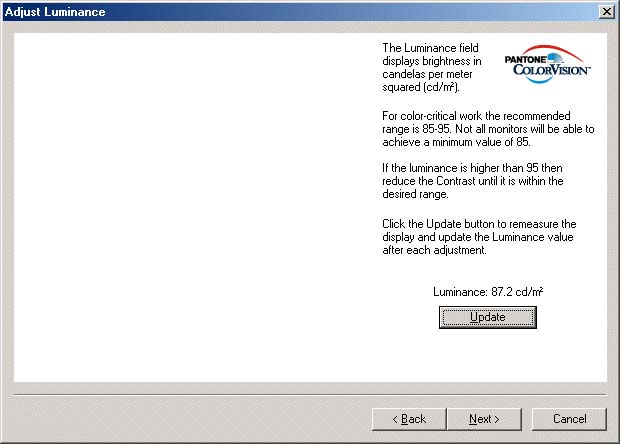 |
| Step 6 Set the Luminance by adjusting the contrast. |
 |
| Step 7 At the "Taking measurements..." stage, a range of colours are displayed within the Calibrate window. This stage of the calibration process takes between 5-10 minutes to complete. |
 |
| Step 8 When requested remove the sensor from the monitor. |
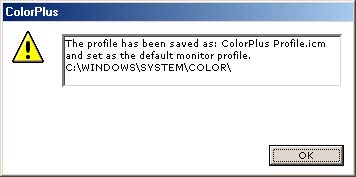 |
| Step 9 A monitor profile is automatically created by ColorPlus and set as the default profile for your computer. |
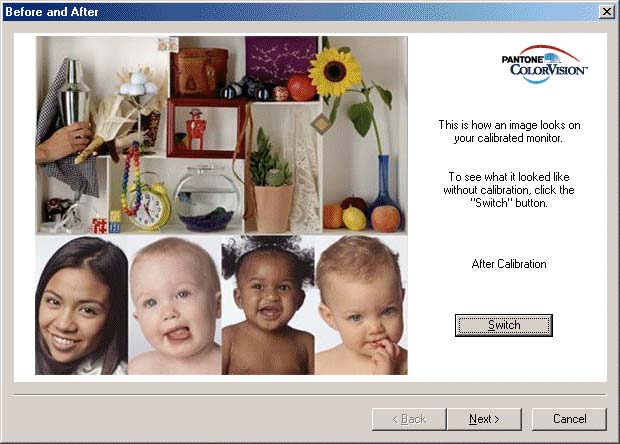 |
| Step 10 An image is displayed to show how your calibrated monitor looks. |
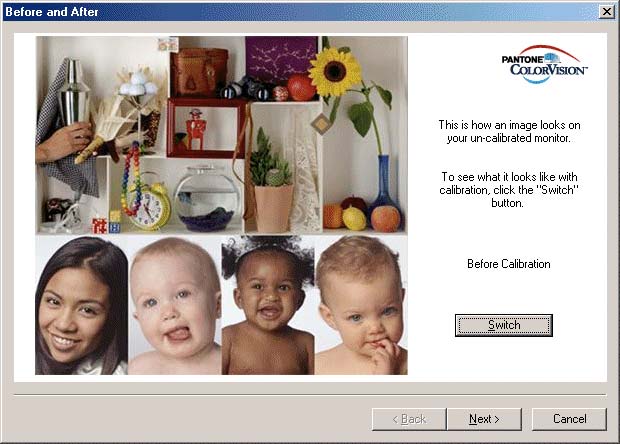 |
| Step 11 Click the Switch button to see the same image as it looked before you calibrated your monitor. |
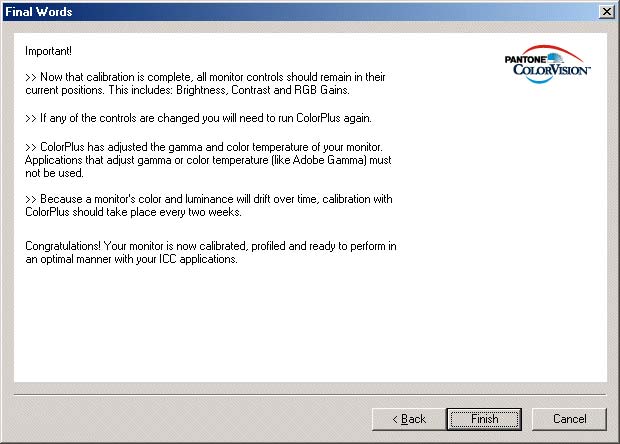 |
| Step 12 The Finish screen tells you what to do now that your monitor is calibrated. |
And that's it - you should now have a well-calibrated monitor! The whole process takes about 15 minutes to complete, and you should repeat it every 2-4 weeks because your monitor's colours will shift over time.
Of course, if you own an inkjet printer, calibrating your monitor is just the first step in obtaining accurate prints. You will also need to create or obtain precise profiles for your printer and the paper types that you use. But that's a completely different article altogether!
Conclusion

(out of 5 stars)
At less than $100/£100 ColorPlus is currently the cheapest hardware-based monitor calibration device that you can buy. It's maybe not the most accurate hardware-based device available, as there are lots of much more expensive and complicated products on the market, but it's certainly a whole lot better than using a software solution like Adobe Gamma, which I was using previously. Instead of spending lots of time vainly trying to make monitor adjustments using your own (non-accurate) eyes, you could spend the equivalent of a memory card or 20 rolls of film and invest in a product that is designed to do the job, and which does the job well. ColorPlus is easy to setup and use and most importantly of all calibrates your monitor so that is displays much more accurate colours. The image displayed on my monitors (both LCD and CRT) now closely matches the prints that I create on my Epson 2100 printer, especially using Ilford Galerie Smooth Pearl paper and the excellent Ilford paper profile. At long last I can see onscreen what will come out of the printer, which should mean an end to wasted ink and paper. In short, ColorPlus is a must if you're at all interested in accurate colour and accurate prints.
Related Links
ColorVision
Europe
Purchase ColorPlus from the ColorVision Europe webshop.