
Epson PictureMate 280 Review
Review Date: December 19th 2006
Leave a comment about this Review
Introduction
Compare Prices
Support PhotographyBLOG: Buy the Epson PictureMate 280 from one of our affiliate retailers:Setup
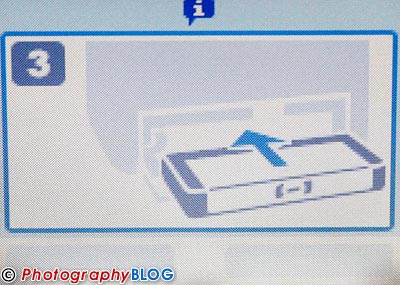
The Epson PictureMate 280 is very easy to setup, taking around 7 minutes from removing it from the box to being ready to print. 3.5 of those minutes are spent charging the ink. The Setup Guide poster is straight-forward to follow with just 3 stages to complete, and the printer also displays animated graphics to guide you through the process - very neat. Unlike the Lexmark P350 that we looked at a couple of weeks ago, Epson supply a proper, full ink cartridge instead of a reduced ink version, and there are 20 sheets of 10x15cm paper to get you started (which admittedly won't last too long). Less impressive is the 2 part power cord, which makes the overall system bulkier that it could be. The PictureMate 280 doesn't print an alignment sheet like other printers that we've reviewed. As with most printers, no USB cable is supplied.
Media Options
The PictureMate 280 is supplied with a PictureMate Photo cartridge and 20 sheets of 10x15cm glossy paper. Ordering supplies is simple, as there are only 2 options. Picturepack 150 (�29.48) contains a single PictureMate Photo cartridge and 150 sheets of glossy 10x15cm PictureMate Photo Paper, whilst Picturepack 50 (�13.49) contains a cartridge and 50 sheets of paper. The most economical pack works out at �0.20 per print. You can't purchase the ink cartridge or paper separately.
Ease of Use
The Epson PictureMate 280 has a bright, clear and large LCD screen that can be rotated through 70 degrees, making it easy to view either standing up or sitting down, but it is relatively low-resolution. The printer's menu system is very easy to use, as are the various external controls. You don't need to read the excellent hard-copy User Guide to understand how to use the PictureMate 280.
The PictureMate 280's photo improvement functions aren't particularly complex. You can rotate and crop an image, decorate a photo or add a frame (with the usual limited choice of unappealing clip-art designs), add just 2 different colour effects (Black and White and Sepia), apply red-eye reduction, and correct a photo's brightness, saturation and sharpness, or all three.
Choosing which photos to print is done by either scrolling through a thumbnail of each image (small, medium or full-screen), or selecting to print all photos.
The Epson PictureMate 280 also offers built-in Bluetooth connectivity, but it's unfortunately via an optional adapter not included in the standard kit, so we were unable to test this.
The PictureMate 280 is one of the few printers to offer a built-in CD/DVD drive, which allows you to backup images from your memory card. Just insert a blank CD, select your photos and press the Save button. You can also read and print the images from the CD. Unfortunately, the drive is only a CD-RW/DVD-ROM unit, which means that you are limited to using 12cm CDs only (either write once or rewritable). With the ever growing size of digital camera images, it would have been nice to have seen a DVD-based drive instead. You can also connect an external flash memory drive or ZIP drive via the PictureMate 280's EXT. I/F port.
The Easy Photo Print PC software supplied with the PictureMate 280 is fairly basic, but perfectly straight-forward to use, perfect for its target audience. As well as selecting and printing your photos, this application also allows you to edit your images (including Red-eye Reduction, rotating, resizing and adding a frame). Epson also supply an application for making your own custom frames, a file manager and an email program.
Print Speed from Memory Cards
The Epson PictureMate 280 took 35 seconds to find and display the 4 JPEG test images on our 1Gb Sandisk Ultra II memory card, which is very slow. Scrolling from one full-screen image to the next was also something of a painstaking process, taking around 5 seconds between images (depending upon the file size). You can alternate between displaying a full-screen photo or medium (6 images) or small thumbnail (15 images) - we opted for the faster medium thumbnail display. A print preview shows which parts of the image will actually be printed. We printed 4 images of various sizes as 10x15cm borderless, best quality photos, and timed them from pressing the Print button to the final print landing in the output tray.
| Image | Size | Time |
| Test Image | 1.4Mb | 49 secs |
| Two Children | 3.8Mb | 48 secs |
| Woman with Fruit | 4.8Mb | 47 secs |
| London Bridge | 7.8Mb | 49 secs |
You can see that as the image size got bigger, the printer didn't get any slower, taking an amazing 2 minutes 24 seconds less than the Lexmark P350 to print the 7.8Mb photo of London Bridge. The typical print time of around 50 seconds is very quick, and it took 3 minutes 20 seconds to print our 4 test images.
Print Speed from a Computer
We installed the supplied software and connected the PictureMate 280 to our test PC, then printed the same 4 images as before in exactly the same way. Printing times were about twice as slow from a computer than directly from a memory card, which indicated to us that something was different. It turns out that there are two Print Modes available when printing from a computer - Speed and Quality. The timings shown below are with Quality selected. When Speed is selected, the timings match those when printing directly from a memory card. As well as having a direct effect on the printing speed, this innocuous settings also has an effect on the print quality (see the next section).
| Image | Size | Time |
| Test Image | 1.4Mb | 1 min 44 secs |
| Two Children | 3.8Mb | 1 min 48 secs |
| Woman with Fruit | 4.8Mb | 1 min 49 secs |
| London Bridge | 7.8Mb | 1 min 49 secs |
Print Quality
The Epson PictureMate 280 takes very little time to make a print. Unfortunately there was very little quality in our first few prints from a memory card, with really obvious horizontal banding. We quickly performed some maintenance, which isn't a good start to owning a new printer. Unfortunately performing the Auto Cleaning and Head Alignment routines only marginally improved the print quality, and it wasted ink and 2 sheets of paper for the test charts.
We then switched to printing from a computer, which revealed why the prints made directly from a memory card were so poor. As stated above in the Print Speed from a Computer section, there are two Print Modes available when printing from a computer - Speed and Quality. Quality, as you'd expect, produces better prints than the Speed option, with no banding of any kind, but it does double the printing time. Speed produces similar results to printing directly from a memory card in the same kind of times - therefore, we can only conclude that the PictureMate 280's default quality mode when used standalone is Speed. Unfortunately and somewhat unbelievably, this is also the ONLY quality mode available via the printer (there is no quality menu). So you cannot change the print mode to Quality unless you print from a computer. As the Epson PictureMate 280 produces prints with obvious banding when using the Speed option, this is a major limitation for what is supposed to be a portable printer. Comparing two prints side by side, one printed with Speed selected, one with Quality, clearly shows that Quality is the only option that produces acceptable results.
Prints from the Epson PictureMate 280 are touch-dry straight out of the printer, which means that you can handle them without fear of smudging or smearing them. We also tested the waterproofness of the PictureMate 280's prints, submerging a print in a big bowl of water. We couldn't even make the colours run by holding it underwater AND smudging it with our fingers! Very impressive. The PictureMate 280's prints will definitely withstand attack from water.
Colours were very accurate, with reds a little more over-saturated than they should be when compared with our test image. Black and white shades were also very neutral, and we'd be happy to use the PictureMate 280 for black and white photos. The prints feel like "real" photos and are pleasingly glossy.
Conclusion
 |
|
|
Ratings (out of 5) |
|
| Design | 3.5 |
| Features | 4 |
| Ease-of-Use | 4 |
| Image Quality | 3.5 |
| Value for Money | 3 |
We tried hard to like the Epson PictureMate 280, but ultimately there are more negatives than positives. On the plus side, the print quality is excellent when using the Quality mode, with accurate colours and black and white shade, a great glossy finish and waterproof photos that really feel like "proper" prints. On the minus side, the only mode that you can use directly from the printer is Speed, which cuts the print time in half, but produces very obvious horizontal banding. Not being able to set the quality via the printer's menu is a major flaw which makes the Epson PictureMate 280 really only usable when it's connected to a PC, the polar opposite of the term "portable". We'd happily double the print time to achieve acceptable print quality, but sadly this isn't even an option with this printer. The built-in CD drive is a nice touch, providing an easy to use way of backing-up your photos, but we'd prefer to see a DVD unit and the price premium is difficult to swallow. Add a boxy, functional design, heavy 3kg weight, only optional Bluetooth connectivity and generally slow operation, and the Epson PictureMate 280 doesn't compare very well at all with the much cheaper HP Photosmart A618 that we reviewed last week.
Design
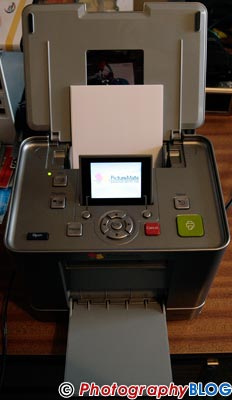 |
It's not the most appealing
of designs. |
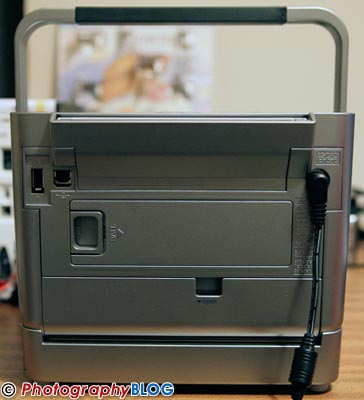 |
The rear of the Epson
Picturemate 280. |
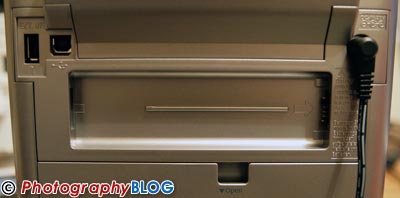 |
The plastic panel is
removed to reveal the battery compartment (an optional
extra). |
 |
The Epson Picturemate
280 helpfully displays animated graphics during setup. |
 |
The massive ink cartridge slots
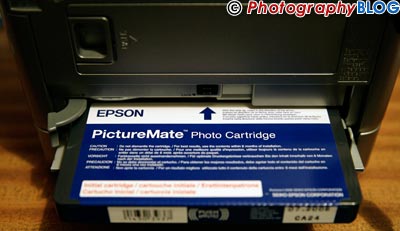
into the back of the printer... |
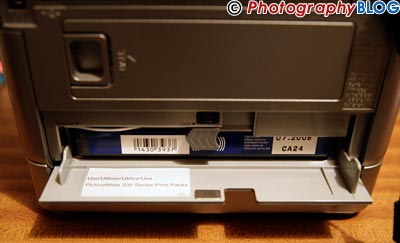 |
...and is now successfully installed. |
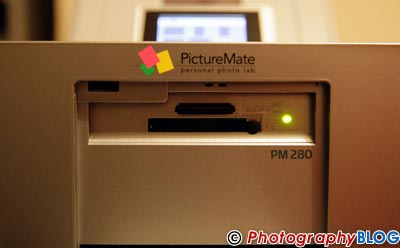 |
The memory card slots. |
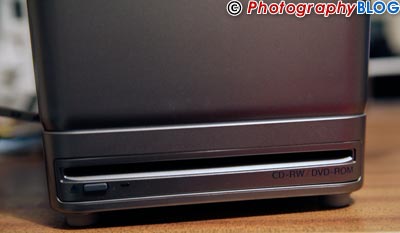 |
The built-in DVD-ROM/CD-RW/CD-R
drive. |
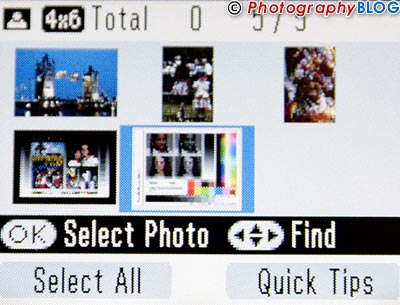 |
Thumbnail preview. |
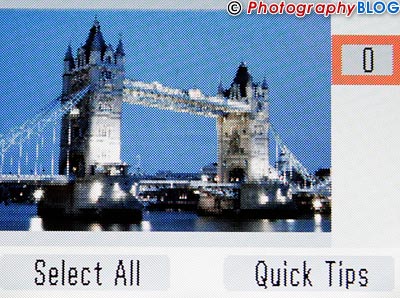 |
Single image preview. |
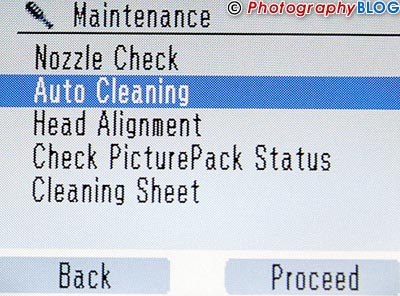 |
The various Maintenance options. |
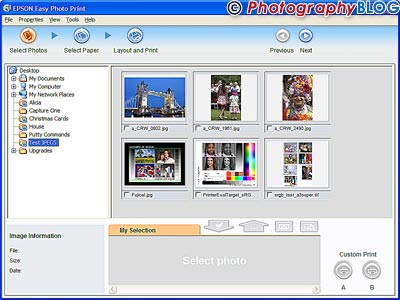 |
Select your photos with Easy Photo
Print... |
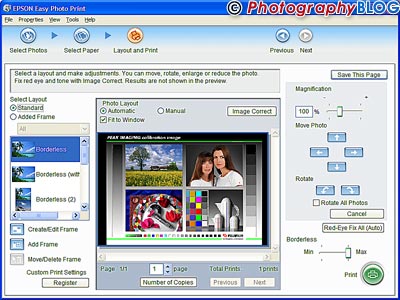 |
...and then decide how you want
to print them. |
Specifications
| Print Technology | ||
| Printing method | On-demand ink jet (piezoelectric) | |
| Nozzle configuration | 90 nozzles each (Black, Cyan, Magenta,Yellow) | |
| Droplet size | 2pl | |
| Print Resolution | 5760x1440 dpi (with Variable-Sized Droplet Technology) | |
| Print Speed 10x15cm | 42 sec | |
| LCD Size | 2.5 inch | |
| Print From | ||
| Supported memory cards | CF Type I/II, Micro Drive, SD, SDHC, MiniSD (w/adapter), MMC, MS, MS Duo (w/adapter), MS Pro, MS Pro Duo (w/adapter), MS Micro (w/adapter), MagicGate MS, MagicGate MS Duo (w/adapter), xD Picture card, xD Picture card Type-M, xD Picture card Type-H | |
| PictBridge | Yes | |
| Bluetooth | Optional - C12C824142 | |
| USB direct print | Yes | |
| PC | Yes (USB cable required) | |
| Print Formats | 10x15cm (4x6'), 9:16 wide size | |
| Creative Printing | ||
| Frames | Yes | |
| Clip art | Yes | |
| Greeting cards | Yes | |
| Direct Save | No | |
| Consumables | T5844(50 sheet) T5846(150 sheet) | |
| Options | ||
| Battery | Optional (C12C831082) | |
| Bluetooth adapter | Optional (C12C824142) | |
| Dimensions | ||
| Standard (WxDxH) | 215x152x180mm | |
| Operational (WxDxH) | 215x339x297mm | |
| Weight | Appox 3.1 kg | |
| Warranty | 1 Year Standard
Warranty Optional: Extension to 3 years standard, Extension to 3 years on-site |
|
Leave a comment about this Review