
Casio Exilim EX-Z1000 Review
Review Date: July 10th 2006
Leave a comment about this Review
|
Image Quality
All of the sample images in this Review were taken using the 10M Fine mode, which gives an average image size of around 4Mb.
Noise
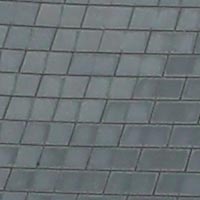
There are 4 ISO settings available on the Casio Exilim EX-Z1000 which you can select at any time if the camera is in the normal shooting mode. Here are some 100% crops which show the noise levels for each ISO setting:
ISO 50 (100% crop) |
ISO 100 (100% crop) |
 |
 |
ISO 200 (100% crop) |
ISO 400 (100% crop) |
 |
 |
There is virtually no discernible noise at the slowest settings of ISO 50 and 100, but there's quite a lot of noise at ISO 200 and the fastest speed of ISO 400 has very obvious noise and blurring of detail.
High Sensitivity Mode
The Casio Exilim EX-Z1000 has a High Sensitivity Best Shot mode. This mode allows you to handhold the camera without using the flash and get more natural results by raising the ISO speed to a maximum of 3200 and therefore allowing for a faster shutter speed. There are some obvious drawbacks with this special scene mode, notably a significant reduction in quality and resolution - the manual states that "Shooting with High Sensitivity can cause an image to appear somewhat coarser than normal and can cause slight deterioration of image resolution." You also need to select the scene mode and therefore have some idea about when it is applicable to your subject. Here are some 100% crops which show the noise levels:
| Original Shot |
100% Crop |
 |
 |
 |
 |
Anti Shake
The Casio Exilim EX-Z1000 has an electronic anti-shake mechanism, which allows you to take sharp photos at slower shutter speeds than other digital cameras. To test this, I took 2 handheld shots of the same subject with the ISO speed set to 50. The first shot was taken with anti shake turned off, the second with it turned on. Here is a 100% crop of the image to show the results.
| Anti Shake Off |
Anti Shake On |
 |
 |
 |
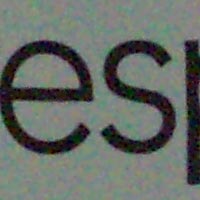 |
As you can see, with anti shake turned on, the images are sharper than with anti shake turned off, but there are a number of important caveats to consider before using this feature. Firstly, anti shake doesn't work unless the ISO speed is set to Auto, which effectively means that the camera always sets the speed to 200 (thereby increasing noise). Secondly, the images taken with anti shake on are obviously of poorer quality than with the feature turned off. The manual states "Shooting with Anti Shake can cause an image to appear somewhat coarser than normal and can cause slight deterioration of image resolution." You can clearly see this in the examples above. So you may gain sharper images, but this comes at the expense of obvious noise and decreased resolution.
Sharpening
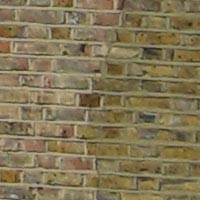
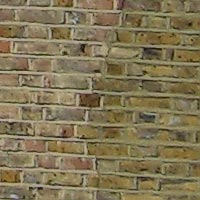
Here are two 100% crops which have been Saved as Web - Quality 50 in Photoshop. The right-hand image has had some sharpening applied in Photoshop. The out-of-the camera images are slightly soft at the default sharpening setting of 0 and benefit from some further sharpening in a program like Adobe Photoshop. Alternatively you can change the in-camera sharpening level to one of the preset levels (-2 to +2).
Original
100% Crop |
Sharpened 100% Crop |
 |
 |
 |
 |
File Quality
The Casio Exilim EX-Z1000 has 3 different image quality settings available, with Fine being the highest quality option. Here are some 100% crops which show the quality of the various options, with the file size shown in brackets.
| 10M
Fine (3.98Mb) |
10M
Normal (2.57Mb) |
 |
 |
| 10M
Economy (1.29Mb) |
|
 |
|
Chromatic Aberrations
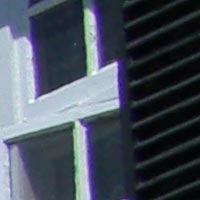
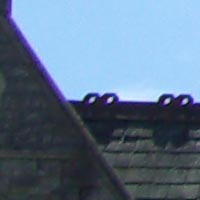
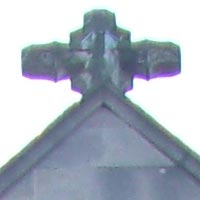
The Casio Exilim EX-Z1000 suffers quite badly from chromatic aberrations, with purple fringing present around the edges of objects in high-contrast situations and also in shots where you wouldn't really expect it to occur. It is quite well controlled when it does appear, but this is one of the prices that you pay for squeezing 10 megapixels onto such a small sensor.
| Example
1 |
Example
2 |
 |
 |
| Example
3 |
Example
4 |
 |
 |
Macro
The Casio Exilim EX-Z1000 offers a Macro setting that allows you to focus on a subject that is 6cms away from the camera when the lens is set to wide-angle. The first image shows how close you can get to the subject (in this case a compact flash card). The second image is a 100% crop.
| Macro Shot |
100% Crop |
 |
 |
Flash
The flash settings on the Casio Exilim EX-Z1000 are Auto Flash, On, Off, Red eye-reduction and Soft Flash. These shots of a magnolia coloured wall were taken at a distance of 1.5m.
| Flash Off - Wide Angle (38mm) |
Auto Flash - Wide Angle (38mm) |
 |
 |
| Flash Off - Telephoto (114mm) |
Auto Flash - Telephoto (114mm) |
 |
 |
And here are some shots of yours truly. As you can see, neither the Flash On setting and the Red-Eye Reduction option caused any red-eye.
| Flash On |
Flash On (100% Crop) |
 |
 |
| Flash - Red-Eye Reduction |
Flash - Red-Eye Reduction (100% Crop) |
 |
 |
Night Shot
The Casio Exilim EX-Z1000's maximum shutter speed is 4 seconds in the Night scene mode, which is not very good news if you're seriously interested in night photography. The shot below was taken using a shutter speed of 4 seconds at f/5.4 at ISO 200. I've included a 100% crop of the image to show what the quality is like.
| Night Shot |
100% Crop |
 |
 |
Overall Image Quality
The Casio Exilim EX-Z1000 produced images of below average quality during the review period. The 10 megapixel images were a little soft straight out of the camera at the default sharpening setting of 0 and ideally require some further sharpening in an application like Adobe Photoshop, or you can increase the in-camera sharpening level. The Casio Exilim EX-Z1000 dealt poorly with chromatic aberrations, with limited purple fringing appearing in quite a lot of the review test shots. Macro performance is average, allowing you to focus as close as 6cms away from the subject. The built-in flash worked quite well indoors, with no red-eye and fairly good overall exposure, although the maximum range of 1.9m at the telephoto setting is disappointing. The night photograph was a weak point, with the maximum shutter speed of 4 seconds in the Night scene mode limiting what you can achieve. The Casio Exilim EX-Z1000 didn't deal with noise particularly well. The 1/1.8 inch, 10 megapixel sensor used in the Casio Exilim EX-Z1000 produces noise-free images at ISO 50 and ISO 100, with but there's quite a lot of noise at ISO 200 and the fastest speed of ISO 400 has very obvious noise and blurring of detail. Anti-shake is a feature that sets this camera apart from its competitors on paper, but in reality it drastically degrades image quality. The new High Sensitivity mode extends the ISO range and allows you to take photos in low-light without having to use flash, but again the image quality is adversely affected. Overall, a pretty poor performance from the EX-Z1000.
|
 PhotographyBLOG
is a member of the DIWA
organisation. Our test results for the Casio Exilim EX-Z1000
have been submitted to DIWA
for comparison with test results for different samples of
the same camera model supplied by other DIWA
member sites.
PhotographyBLOG
is a member of the DIWA
organisation. Our test results for the Casio Exilim EX-Z1000
have been submitted to DIWA
for comparison with test results for different samples of
the same camera model supplied by other DIWA
member sites.