
Samsung NV24HD Review
Review Date: May 30th 2008
Author: Gavin Stoker
Leave a comment about this Review
|
Image Quality
All of the sample images in this Review were taken using the 10 megapixel Super Fine mode, which gives an average image size of around 2Mb.
Noise
There are 7 ISO settings available on the Samsung NV24HD which you can select at any time if the camera is in the normal shooting mode. Note that the image resolution is reduced to 3 megapixels for ISO 3200. Though noise is reasonably kept at bay up to and including ISO 800, at ISO 1600 detail is noticeably soft, while ISO 3200 reveals a smearing of detail and results closer to an Impressionist painting than a photograph. It's far from being even close to the worst example we've seen however, meaning it can be lived with at a push. Here are some 100% crops which show the noise levels for each ISO setting:
ISO 80 (100% crop) |
ISO 100 (100% crop) |
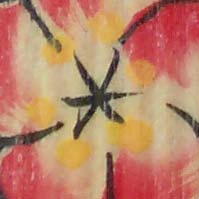 |
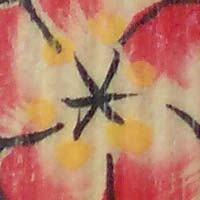 |
ISO 200 (100% crop) |
ISO 400 (100% crop) |
 |
 |
ISO 800 (100% crop) |
ISO 1600 (100% crop) |
 |
 |
ISO 3200 (100% crop) |
|
 |
Sharpening
Here are two 100% crops which have been Saved as Web - Quality 50 in Photoshop. The right-hand image has had some sharpening applied in Photoshop. The out-of-the camera images are just a little soft at the default sharpening setting of Normal. You can change the in-camera sharpening level to one of the preset levels (Soft, Normal or Vivid) if you don't like the default look.
Original
(100% Crop) |
Sharpened (100% Crop) |
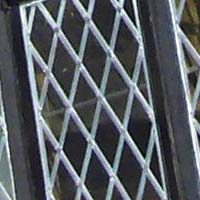 |
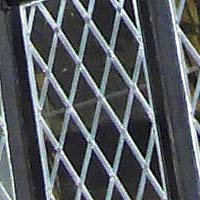 |
 |
 |
Chromatic Aberrations
The Samsung NV24HD dealt very well with chromatic aberrations during the review. Limited purple fringing was only present around the edges of objects in high-contrast situations, as shown in the examples below.
Example
1 (100% Crop) |
Example
2 (100% Crop) |
 |
 |
Macro
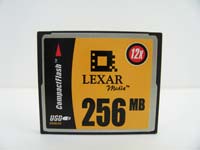
The Samsung NV24HD offers a Macro setting that allows you to focus on a subject that is 5cms away from the camera when the lens is set to wide-angle. The first image shows how close you can get to the subject (in this case a compact flash card). The second image is a 100% crop.
Macro Shot |
Macro Shot (100% Crop) |
 |
 |
Flash
The flash settings on the Samsung NV24HD are Auto, Auto & Red-eye reduction, Fill-in, Slow sync, Flash off, and Red Eye Fix. These shots of a white coloured wall were taken at a distance of 1.5m.
Flash Off - Wide Angle (24mm) |
Auto Flash - Wide Angle (24mm) |
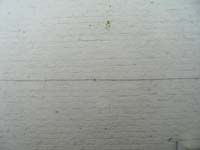 |
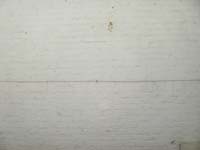 |
Flash Off - Telephoto (86.5mm) |
Auto Flash - Telephoto (86.5mm) |
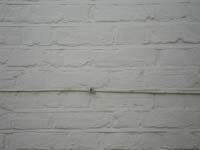 |
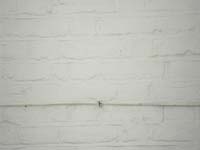 |
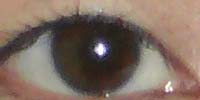
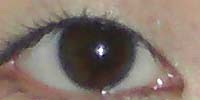
And here are some shots of yours truly. As you can see, both the Auto setting and the Red-eye Fix option caused a tiny amount of red-eye.
Auto |
Auto (100% Crop) |
 |
 |
Flash - Red-eye Fix |
Flash - Red-eye Fix (100% Crop) |
 |
 |
Night Shot
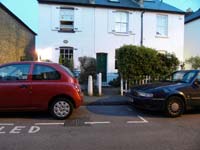
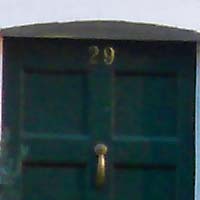
The Samsung NV24HD's maximum shutter speed is 16 seconds, which is good news if you're seriously interested in night photography. The shot below was taken using a shutter speed of 1 second, aperture of f/2.8 at ISO 200. I've included a 100% crop of the image to show what the quality is like.
Night Shot |
Night Shot (100% Crop) |
 |
 |
Overall Image Quality
Samsung has claimed that the new image-processing algorithm employed by the NV24HD � the snappily titled Drim Engine II � 'virtually' eliminates noise and other artefacts. Virtually is in parentheses, because in the real world this isn't strictly true. Though noise is reasonably kept at bay up to and including ISO 800, at ISO 1600 detail is noticeably soft, while ISO 3200 reveals a smearing of detail and results closer to an Impressionist painting than a photograph. It's far from being even close to the worst example we've seen however, meaning it can be lived with at a push. Unfortunately our white wall test shots reveal more than most a lack of sharpness towards the corners of the frame at maximum wide angle, with some obvious barrel distortion. This softness of the edges of our frames was better disguised and often overlooked in busier scenes, but even the NV24HD's 'normal' setting on occasion delivered slightly washed out colours. Results closer to what you can get deliberately by turning the shooting styles to 'calm' mode than we would have liked. More positively, pixel fringing is kept commendably at bay, and as shown by our selection of images here, good results are possible if you attempt two or three shots of the same thing � bracketing, essentially � or run Levels in Photoshop. But having to work at it isn't arguably what you want from a point-and-shoot camera.
|
 PhotographyBLOG
is a member of the DIWA
organisation. Our test results for the Samsung NV24HD have been submitted to DIWA
for comparison with test results for different samples of
the same camera model supplied by other DIWA
member sites.
PhotographyBLOG
is a member of the DIWA
organisation. Our test results for the Samsung NV24HD have been submitted to DIWA
for comparison with test results for different samples of
the same camera model supplied by other DIWA
member sites.