
Canon PowerShot S5 IS Review
Review Date: September 19th 2007
Author: Gavin Stoker
Leave a comment about this Review
|
Image Quality
All of the sample images in this Review were taken using the 8 megapixel SuperFine JPEG setting, which gives an average image size of around 3.5Mb.
Noise
There are 6 ISO settings available on the Canon PowerShot S5 IS which you can select at any time if the camera is in the normal shooting mode. noise seems to be more problematic, even when shooting in daylight. Starting to visibly creep in from ISO 400, and noticeable without even viewing at 100%, it becomes markedly more pronounced at ISO 800, while at ISO 1600 you're losing detail and definition to the extent that it appears you're viewing the image through frosted glass. Stick below ISO 400 for shots you'll want to keep. Here are some 100% crops which show the noise levels for each ISO setting:
ISO 80 (100% Crop) |
ISO 100 (100% Crop) |
 |
 |
ISO 200 (100% Crop) |
ISO 400 (100% Crop) |
 |
 |
ISO 800 (100% Crop) |
ISO 1600 (100% Crop) |
 |
 |
Sharpening
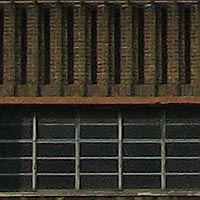
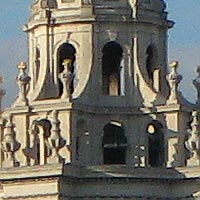
Here are two 100% crops which have been Saved as Web - Quality 50 in Photoshop. The right-hand image has had some sharpening applied in Photoshop. The out-of-the camera images are just a little soft at the default sharpening setting. You can change the in-camera sharpening level if you don't like the default look.
Original
(100% Crop)
|
Sharpened (100% Crop) |
 |
 |
 |
 |
Chromatic Aberrations
The Canon PowerShot S5 IS handled chromatic aberrations quite well during the review, with small levels of coloured fringing mainly present around the edges of objects in high-contrast situations, as shown in the examples below.
|
Example
1 (100% Crop)
|
Example
2 (100% Crop)
|
 |
 |
Macro
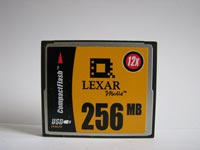
The Canon PowerShot S5 IS offers a Macro setting that allows you to focus on a subject that is 0cms away from the camera! The first image shows how close you can get to the subject in Macro mode (in this case a compact flash card). The second image is a 100% crop.
|
Macro Shot |
100% Crop |
 |
 |
Flash
The flash settings on the Canon PowerShot S5 IS are Auto, On, Auto Red-eye Reduction, Slow Synchro and Off.. These shots of a white coloured wall were taken at a distance of 1.5m.
|
Flash Off - Wide Angle (36mm) |
Auto Flash - Wide Angle (36mm) |
 |
 |
|
Flash Off - Telephoto (432mm) |
Auto Flash - Telephoto (432mm) |
 |
 |
And here are some portrait shots. Both the Auto setting or the Red-eye reduction modes caused a very small amount of red-eye.
|
Auto |
Auto (100% Crop) |
 |
 |
|
Red-eye reduction |
Red-eye reduction (100% Crop) |
 |
 |
Night Shot
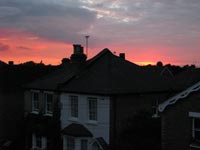
The Canon PowerShot S5 IS's maximum shutter speed is 15 seconds, which is good news if you're seriously interested in night photography. The shot below was taken using a shutter speed of 1/400 second, aperture of f/3.2 at ISO 400. I've included a 100% Crop of the image to show what the quality is like (very noisy in the shadow areas).
|
Night Shot |
Night Shot (100% Crop) |
 |
 |
Overall Image Quality
Though the lens doesn't suffer as evidently from barrel distortion at maximum wide angle as some, and pixel fringing � though there � is reasonably well controlled, the resultant images appear a little unsharp when viewed on the desktop, meaning that you'll be wise to embark on some rudimentary image editing to get the best out of the S5 IS's pictures. At maximum telephoto, and with image stabilisation set to continuous for the majority of our test period (one shot and panning IS modes are alternatively offered), there is occasional camera shake visible, meaning that this is happily the exception rather than the rule. On its evaluative setting, metering is a bit hit and miss: on occasions the camera will underexpose, so that images benefit from the application of Photoshop Levels to retrieve shadow detail, which is fair enough. At other times though � and more pronounced under the trying likes of strong sunshine � highlights are totally blown, smoothing out fold detail in a white shirt for example. However, noise seems to be more problematic, even when shooting in daylight. Starting to visibly creep in from ISO 400, and noticeable without even viewing at 100%, it becomes markedly more pronounced at ISO 800, while at ISO 1600 you're losing detail and definition to the extent that it appears you're viewing the image through frosted glass. Stick below ISO 400 for shots you'll want to keep. On a more positive note, and as we'd expect from a Canon compact, the S5 IS' colours are well saturated, reds, greens and blues particularly vivid at the default setting, while skin tones are flatteringly warm. So, you won't get the best results from pointing and shooting and leaving the S5 IS set on auto � but then if that's what you'd wanted you'd be considering a different camera.
|
 PhotographyBLOG
is a member of the DIWA
organisation. Our test results for the Canon PowerShot S5 IS have been submitted to DIWA
for comparison with test results for different samples of
the same camera model supplied by other DIWA
member sites.
PhotographyBLOG
is a member of the DIWA
organisation. Our test results for the Canon PowerShot S5 IS have been submitted to DIWA
for comparison with test results for different samples of
the same camera model supplied by other DIWA
member sites.