
Ricoh Caplio R6 Review
Review Date: May 10th 2007
Author: Mark Goldstein
Leave a comment about this Review
|
Image Quality
All of the sample images in this Review were taken using the 7M Fine mode, which gives an average image size of around 2.5Mb.
Noise
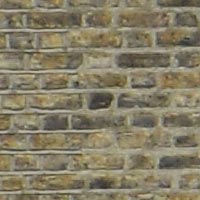
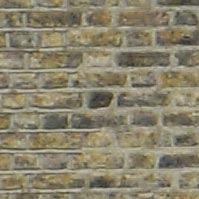
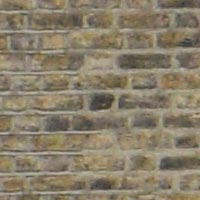
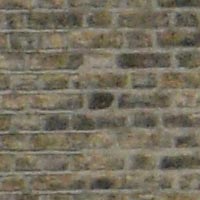
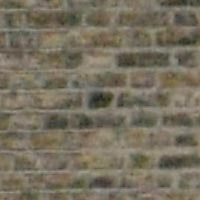
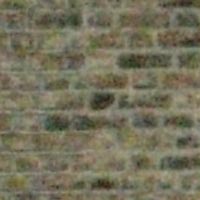
There are 6 ISO settings available on the Ricoh Caplio R6 which you can select at any time if the camera is in the normal shooting mode. The Ricoh Caplio R6 improves on the noise performance of its predecessor, the R5. There is no discernible noise at the slowest settings of ISO 64 and 100, as you would expect, and ISO 200 also looks good. There is some noise at ISO 400, and by ISO 800 it is very obvious, together with blurring of detail. ISO 1600 is in my opinion virtually unusable, looking good on the spec sheet, but terrible in reality. Here are some 100% crops which show the noise levels for each ISO setting:
ISO 64 (100% Crop) |
ISO 100 (100% Crop) |
 |
 |
ISO 200 (100% Crop) |
ISO 400 (100% Crop) |
 |
 |
ISO 800 (100% Crop) |
ISO 1600 (100% Crop) |
 |
 |
Sharpening
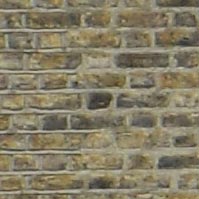
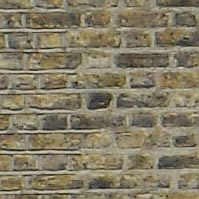
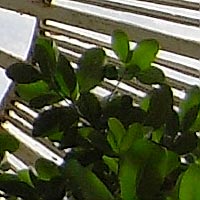
Here are two 100% Crops which have been Saved as Web - Quality 50 in Photoshop. The right-hand image has had some sharpening applied in Photoshop. The out-of-the camera images are a little soft at the default sharpening setting of Normal. You can change the in-camera sharpening level to one of the preset levels (Sharp, Normal or Soft) if you don't like the default look.
Original
(100% Crop)
|
Sharpened (100% Crop) |
 |
 |
 |
 |
File Quality
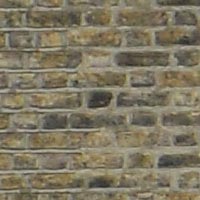
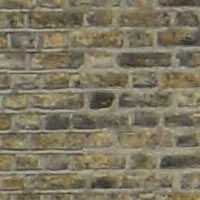
The Ricoh Caplio R6 has 2 different image quality settings available, with Fine being the highest quality option. Here are some 100% Crops which show the quality of the various options, with the file size shown in brackets.
|
7M
Fine (2.39Mb) (100% Crop)
|
7M
Normal (1.45Mb) (100% Crop)
|
 |
 |
Chromatic Aberrations
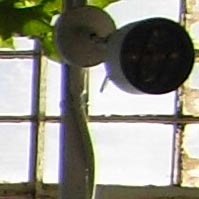
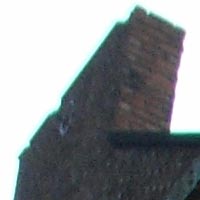
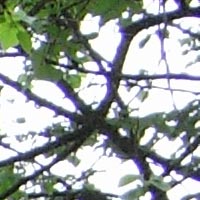
The Ricoh Caplio R6 did suffer from chromatic aberrations during the review, but it was generally well controlled. Limited purple fringing was mainly present around the edges of objects in high-contrast situations, as shown in the examples below.
|
Example
1 (100% Crop)
|
Example
2 (100% Crop)
|
 |
 |
|
Example
3 (100% Crop)
|
|
 |
|
Macro
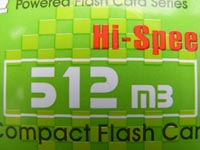
The Ricoh Caplio R6 offers a Macro setting that allows you to focus on a subject that is just 1cm away from the camera when the lens is set to wide-angle. The first image shows how close you can get to the subject (in this case a compact flash card). The second image is a 100% crop.
|
Macro Shot |
Macro Shot (100% Crop) |
 |
 |
Flash
The flash settings on the Ricoh Caplio R6 are Off, Auto, On, Red-eye Reduction, Soft Flash and Slow Synchro. These shots of a white coloured wall were taken at a distance of 1.5m.
|
Flash Off - Wide Angle (28mm) |
Auto Flash - Wide Angle (28mm) |
 |
 |
|
Flash Off - Telephoto (200mm) |
Auto Flash - Telephoto (200mm) |
 |
 |
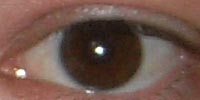
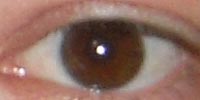
And here are some shots of yours truly. As you can see, both the Flash On setting and the Red-Eye Reduction option caused a tiny amount of red-eye.
|
Flash On |
Flash On (100% Crop) |
 |
 |
|
Flash - Red-Eye Reduction |
Flash - Red-Eye Reduction (100% Crop) |
 |
 |
Night Shot
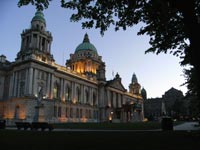
The Ricoh Caplio R6's maximum shutter speed is 8 seconds, which is fairly good if you're seriously interested in night photography. The shot below was taken using a shutter speed of 1/80th second, aperture of f/3.3 at ISO 400. I've included a 100% Crop of the image to show what the quality is like.
|
Night Shot |
Night Shot (100% Crop) |
 |
 |
Anti Shake
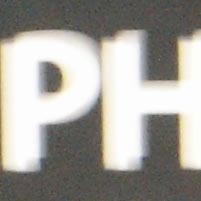
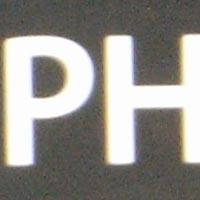
The Ricoh Caplio R6 has an anti-shake mechanism, which allows you to take sharp photos at slower shutter speeds than other digital cameras. To test this, I took 2 handheld shots of the same subject with the lens set to the same focal length, with the ISO speed set to 100. The first shot was taken with anti shake turned off, the second with it turned on. As you can see, with anti shake turned on, the images are definitely sharper than with anti shake turned off. This feature really does seem to make a difference and could mean capturing a successful, sharp shot or missing the opportunity altogether. Here is a 100% Crop of the image to show the results.
| Shutter Speed |
Anti Shake Off (100% Crop) |
Anti Shake On (100% Crop) |
| 1/4th |
 |
 |
| 1/6th |  |
 |
Overall Image Quality
The Ricoh Caplio R6's image quality is above average. The Ricoh Caplio R6's main drawback in terms of image quality is noise, with ISO 400 showing some noise and blurring of detail. The noise gets progressively worse as you go from ISO 400 to ISO 800 and finally the completely unusable 1600 setting. The Ricoh Caplio R6 handled chromatic aberrations quite well with limited purple fringing effects appearing in high contrast situations. The 7 megapixel images were a little soft straight out of the camera at the default sharpen setting of Normal and either require some further sharpening in an application like Adobe Photoshop, or you should set the in-camera sharpening to Sharp. The night photograph was OK, with the maximum shutter speed of 8 seconds allowing you to capture just enough light for most situations. Macro performance is the stand-out highlight, allowing you to focus as close as 1cm away from the subject, although there is a lot of lens distortion and shadowing at such a close distance. Anti-shake is also a feature that sets this camera apart from its competitors and one that works very well when hand-holding the camera in low-light conditions or when using the telephoto end of the zoom range. The built-in flash worked OK indoors, with little red-eye and good overall exposure. There is some obvious softening of detail in the corners of the image when the lens is set to wide-angle focal lengths. Overall, a slight improvement on previous Caplio R models.
|
 PhotographyBLOG
is a member of the DIWA
organisation. Our test results for the Ricoh Caplio R6 have been submitted to DIWA
for comparison with test results for different samples of
the same camera model supplied by other DIWA
member sites.
PhotographyBLOG
is a member of the DIWA
organisation. Our test results for the Ricoh Caplio R6 have been submitted to DIWA
for comparison with test results for different samples of
the same camera model supplied by other DIWA
member sites.